Quick Answer
Yes, branded virtual backgrounds for companies are widely available and easy to obtain.
You have several options:
- Professional Services: Brand Wall Pro and similar providers create custom backgrounds with your logo (fastest, highest quality)
- DIY Creation: Use design tools like Canva or Photoshop to create your own
- Freelance Designers: Hire designers on Fiverr or Upwork
- Template Customization: Purchase and customize templates from marketplaces
If you've been wondering whether branded virtual backgrounds exist for companies, you're not alone. With remote work now standard and video calls dominating business communication, many organizations are searching for ways to maintain professional, consistent branding across video conferencing platforms like Zoom, Microsoft Teams, and Google Meet.
The short answer is: Yes, branded virtual backgrounds are not only available—they're commonplace. The longer answer involves understanding your various options, their pros and cons, and which solution best fits your company's needs and budget.
Related Resources
What Are Branded Virtual Backgrounds?
Before diving into where to get them, let's clarify what branded virtual backgrounds actually are.
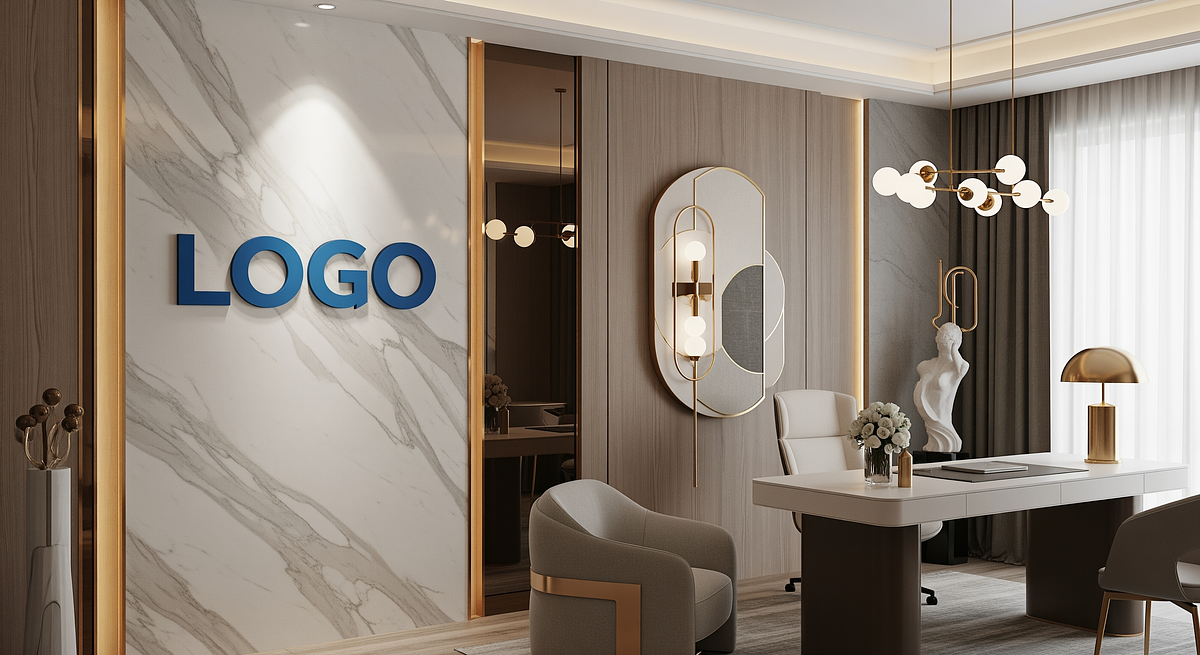
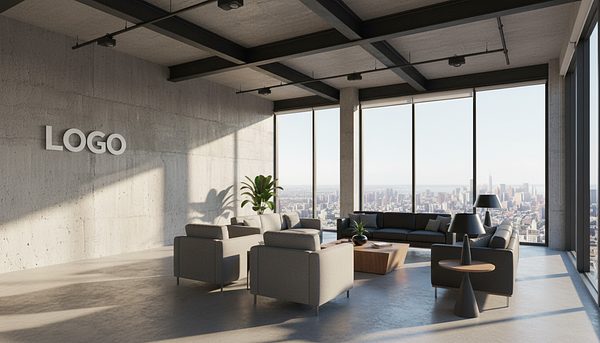
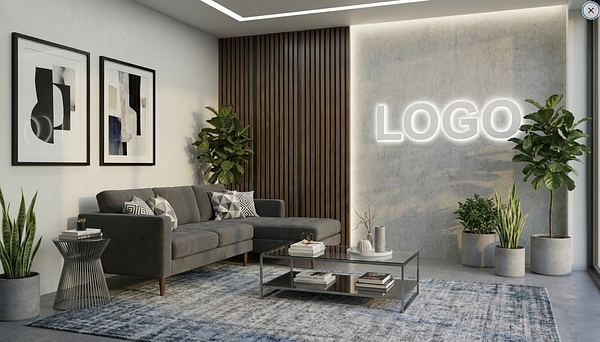
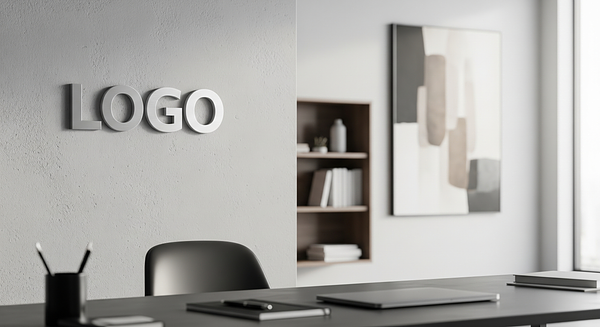
Branded virtual backgrounds are custom-designed digital images that serve as backdrops for video calls, featuring:
- Your company logo: Professionally placed (usually in a corner)
- Your brand colors: Matching your corporate color palette
- Your visual identity: Consistent with your overall brand aesthetic
- Professional design: Created to enhance, not distract from, the speaker
These backgrounds replace your actual physical surroundings during video conferences, creating a consistent, professional appearance for everyone on your team—whether they're in a home office, coffee shop, or corporate headquarters.
Why Companies Want Them
Branded backgrounds create visual consistency across distributed teams, increase brand visibility with clients and partners, project professionalism, protect employee privacy, and turn every video call into a subtle marketing opportunity. Learn more in our complete guide to branded backgrounds for companies.
What Options Are Available for Branded Backgrounds?
Companies have four primary options for obtaining branded virtual backgrounds, each with distinct advantages and trade-offs:
Option 1: Professional Background Services
Specialized services like Brand Wall Pro focus exclusively on creating professional virtual backgrounds with company logos.
How It Works:
- Choose from professional background styles
- Upload your company logo
- Specify any preferences (logo placement, colors, etc.)
- Receive professionally designed backgrounds within 24-48 hours
- Request revisions if needed (usually included)
Best For:
- Companies wanting guaranteed professional quality
- Organizations needing fast turnaround
- Teams without in-house design resources
- Businesses valuing time efficiency
Typical Cost:
$34.99 per background with volume discounts available. Group licenses offer additional savings.
Option 2: DIY Using Design Tools
Create your own branded backgrounds using design software or online tools.
Popular Tools:
- Canva: User-friendly with templates. Free version available, Pro at $120/year
- Adobe Photoshop: Professional results but steep learning curve. $54.99/month
- PowerPoint/Keynote: Surprisingly capable for simple designs. Included with Office/iWork
- GIMP: Free Photoshop alternative with moderate complexity
Best For:
- Companies with in-house design skills
- Organizations with tight budgets
- Teams wanting complete creative control
- Businesses needing frequent updates
Time Investment:
4-8 hours for first background (learning curve + design + testing). Subsequent backgrounds 2-4 hours each.
Option 3: Freelance Designers
Hire individual designers through platforms like Fiverr, Upwork, or 99designs to create custom branded backgrounds.
How It Works:
- Post a project or browse designer portfolios
- Provide your logo, brand guidelines, and requirements
- Review designer proposals or select a designer
- Receive drafts and provide feedback
- Get final files after revisions
Best For:
- Companies wanting custom work within a budget
- Organizations with very specific vision
- Teams comfortable managing freelancers
Typical Cost:
$25-100+ per background depending on designer experience and complexity. Turnaround typically 3-7 days.
Option 4: Template Customization
Purchase pre-designed templates from marketplaces and customize them with your logo.
Where to Find Templates:
- Creative Market: High-quality templates, typically $5-30 each
- Etsy: Unique designs from independent creators, $5-25
- Envato Elements: Unlimited downloads with subscription ($16.50/month)
- Canva Templates: Built-in templates within Canva (many free)
Best For:
- Companies with basic design skills
- Organizations wanting low-cost solution
- Teams comfortable with "good enough" results
Consideration:
Templates may lack uniqueness since others can purchase the same designs. Customization still requires design software knowledge.
Professional Branded Background Services
For most companies, professional services offer the best combination of quality, speed, and value. Let's explore this option in detail.
What Professional Services Provide
- Expert Design: Designers who specialize in video call backgrounds understand proper logo placement, safe zones, and platform requirements
- Technical Optimization: Backgrounds are created at correct dimensions (1920x1080), file sizes, and formats for all platforms
- Platform Testing: Backgrounds are tested on Zoom, Teams, Google Meet, and other platforms
- Brand Consultation: Guidance on styles, colors, and approaches that work best for your industry
- Revision Rounds: Professional refinement until you're completely satisfied
- Fast Turnaround: Typically 24-48 hours from order to delivery
Brand Wall Pro: Leading Provider
Brand Wall Pro specializes in creating professional branded virtual backgrounds for companies of all sizes. Here's what makes it the preferred choice:
Simple Process
- Choose from dozens of professional styles
- Upload your logo (PNG, SVG, or JPG)
- Specify any preferences
- Receive backgrounds within 24-48 hours
- Request revisions if needed (included)
Key Advantages
- Expert designers specializing in backgrounds
- Affordable pricing starting at $34.99
- Unlimited revisions until satisfied
- Platform compatibility guaranteed
- Group licenses for teams
- No design skills required
Get Professional Branded Backgrounds
Browse styles, upload your logo, and receive professionally designed backgrounds in 24-48 hours. No design skills required.
For a comparison of different providers, check out our guide to who sells custom virtual backgrounds.
DIY Branded Backgrounds: How to Create Your Own
For companies with design resources or very tight budgets, creating your own branded backgrounds is certainly possible. Here's how to approach it:
Using Canva (Easiest DIY Option)
Canva offers the lowest barrier to entry for creating branded backgrounds:
Step-by-Step Canva Process:
- Create custom dimensions: Set up a 1920x1080 px canvas
- Choose a template or start blank: Search "zoom background" or "virtual background" for templates
- Customize the design: Add your brand colors, select appropriate background imagery
- Upload and position your logo: Place in bottom-right or top-right corner with adequate padding
- Export correctly: Download as PNG or JPG at highest quality
- Test on platforms: Upload to Zoom/Teams/Meet and test with real video call
Time required: 2-4 hours for first background (including learning). Cost: Free plan available, Canva Pro $120/year recommended for access to premium elements.
Using Adobe Photoshop (Professional DIY)
Photoshop offers the most control and highest quality potential, but requires significant skill:
Basic Photoshop Process:
- Create new document: 1920x1080px, 72-150 DPI, RGB color mode
- Design background layers using stock photos, gradients, or solid colors
- Import logo as smart object for easy resizing
- Position logo with proper padding (100-120px from edges)
- Apply subtle effects if desired (shadows, glows—use sparingly)
- Export as JPG (quality 10-12) or PNG
- Test file size (keep under 5MB) and test on actual video platforms
Time required: 4-8 hours for first background if learning, 1-2 hours once proficient. Cost: Photoshop $54.99/month or $659.88/year.
Using PowerPoint/Keynote (Quick & Free)
For simple branded backgrounds, presentation software can work surprisingly well:
PowerPoint/Keynote Process:
- Set slide dimensions to 1920x1080 (16:9 ratio)
- Design slide with background fill (solid color, gradient, or image)
- Insert and position your logo
- Export/Save as high-quality image (PNG or JPG)
Best for: Simple, clean backgrounds with solid colors or gradients. Not ideal for complex designs. Cost: Included with Microsoft Office or macOS.
The Hidden Cost of DIY
While DIY methods may seem free or cheap, consider the true cost: If it takes an employee earning $50/hour about 6 hours to create their first branded background, the true cost is $300 in staff time—far more than professional services charge. Factor in software subscriptions, learning curve, and opportunity cost. For most companies, DIY is more expensive than it appears.
Comparing All Options for Branded Backgrounds
Here's a comprehensive comparison to help you decide which option is best for your company:
| Factor | Professional Service | DIY (Canva) | Freelance Designer | Template |
|---|---|---|---|---|
| Cost per background | $10-50 | $10-12/month (software) | $25-100+ | $5-30 + software |
| Time required | 15-30 minutes (your time) | 4-8 hours (first time) | 1-2 hours (managing project) | 2-4 hours (customization) |
| Turnaround time | 24-48 hours | Immediate (once created) | 3-7 days | Immediate (once customized) |
| Design skills required | None | Basic to moderate | None (but communication skills) | Basic |
| Quality guarantee | Professional standard | Varies with your skills | Varies by designer | Limited |
| Customization | High (within styles) | Complete control | Very high | Limited |
| Revisions | Usually unlimited | Unlimited (self) | 1-3 rounds typical | Self-made |
| Platform compatibility | Guaranteed | Must test yourself | Usually good | Must test yourself |
| Uniqueness | High (custom logo placement) | Complete | Complete | Low (others use same template) |
Comparing Professional Background Providers
If you've decided that professional services are the right choice, here's how different providers compare. For a more detailed analysis, see our article on who sells custom virtual backgrounds.
Brand Wall Pro
Specialized virtual background service with dozens of professional styles designed specifically for video calls.
Strengths:
- • Specializes exclusively in virtual backgrounds
- • Fast 24-48 hour turnaround
- • Unlimited revisions
- • Group licenses available
- • Platform compatibility guaranteed
Pricing:
Starting at $34.99 per background. Volume discounts available.
Best For:
Companies of all sizes wanting professional quality and fast delivery
Fiverr Freelance Designers
Individual designers offering custom background creation services.
Strengths:
- • Wide range of designers at different price points
- • Can view portfolios and reviews
- • Competitive pricing
Considerations:
- • Quality varies significantly by designer
- • May not specialize in virtual backgrounds
- • Revision policies vary
- • Turnaround time 3-7 days typical
Pricing: $25-100+ depending on designer. Best For: Budget-conscious companies comfortable vetting freelancers.
Upwork Professionals
Professional freelance platform with graphic designers offering custom work.
Strengths:
- • More established, vetted professionals
- • Detailed portfolios and work history
- • Escrow payment protection
Considerations:
- • Generally more expensive than Fiverr
- • Requires more project management
- • Platform fees add to cost
Pricing: $50-150+ for custom backgrounds. Best For: Companies wanting professional designers with proven track records.
Local Design Agencies
Full-service design agencies that can create branded backgrounds as part of broader branding services.
Strengths:
- • Face-to-face collaboration
- • Understanding of overall brand strategy
- • Can integrate with other branding work
Considerations:
- • Most expensive option
- • May not specialize in virtual backgrounds
- • Overkill for just background needs
Pricing: $200-500+ for branded background set. Best For: Companies already working with agency on broader branding initiatives.
Which Option Should You Choose?
The best choice depends on your company's specific situation. Here's how to decide:
Choose Professional Services If:
- ✓ You want guaranteed professional quality - No risk of amateur-looking results
- ✓ You value your team's time - 15 minutes of your time vs. 4-8 hours DIY
- ✓ You need fast turnaround - Backgrounds within 24-48 hours
- ✓ You lack design resources - No in-house designers or design software
- ✓ Brand consistency is critical - Client-facing roles where perception matters
- ✓ You need team-wide solution - Group licenses make deployment easy
Recommended: Brand Wall Pro - Starting at $34.99
Choose DIY If:
- ✓ You have in-house design talent - Designers with relevant software skills
- ✓ Budget is extremely tight - Though staff time costs should be considered
- ✓ You need complete creative control - Very specific vision that's hard to communicate
- ✓ You're creating backgrounds regularly - Frequent updates justify learning curve
- ✓ You want to build internal capability - Developing design skills for other projects
Recommended Tool: Canva Pro ($120/year) for easiest DIY experience
Choose Freelancers If:
- ✓ You have moderate budget - Can afford $50-100 per background
- ✓ You're comfortable managing projects - Can provide clear briefs and feedback
- ✓ You have time for vetting process - Can review portfolios and proposals
- ✓ You want custom work beyond templates - But professional services don't offer your exact vision
Recommended Platform: Upwork for vetted professionals, Fiverr for budget options
Choose Templates If:
- ✓ You're testing the concept - Trying branded backgrounds before full commitment
- ✓ Uniqueness isn't critical - Don't mind that others might use same base design
- ✓ You have basic design skills - Can customize templates effectively
- ✓ Budget is very limited - $5-30 is maximum spend
Recommended Source: Creative Market or Canva templates
Our Recommendation for Most Companies
For most businesses, professional services like Brand Wall Pro offer the best value:
- • True cost (including staff time) is often lower than DIY
- • Quality is guaranteed professional standard
- • Turnaround is faster than DIY or freelancers
- • No design skills or software required
- • Revisions ensure you get exactly what you want
- • Group licenses make team-wide deployment simple
Starting at just $34.99 per background, the investment pays for itself in time saved and professional results delivered.
Frequently Asked Questions
Are there branded virtual backgrounds for companies?
Yes, branded virtual backgrounds are widely available. Companies can obtain them through professional services like Brand Wall Pro, create them using design tools like Canva or Photoshop, hire freelance designers, or purchase and customize templates.
Where can I get branded backgrounds with my company logo?
The fastest and easiest option is using a professional service like Brand Wall Pro. Simply upload your logo, choose a style, and receive professionally designed backgrounds within 24-48 hours. Alternatively, you can create them yourself using design software or hire a freelance designer.
How much do branded virtual backgrounds cost?
Costs vary by method: Professional services $34.99 per background, freelance designers $25-100+, DIY with software $10-55/month for tools, and templates $5-30 each. When factoring in staff time, professional services often provide the best value.
Can I make my own branded virtual backgrounds?
Yes, you can create your own using tools like Canva (easiest), Adobe Photoshop (most powerful), PowerPoint/Keynote (simplest), or GIMP (free). However, this requires 4-8 hours for your first background plus design skills and software. Most companies find professional services more cost-effective when factoring in staff time.
Do branded backgrounds work on all video platforms?
Yes, professionally designed branded backgrounds work on all major platforms including Zoom, Microsoft Teams, Google Meet, Webex, Skype, Discord, and Slack. They're created at 1920x1080 resolution in standard image formats (JPG/PNG) for universal compatibility.
What's the difference between DIY and professional branded backgrounds?
DIY gives you complete control but requires design skills, software ($10-55/month), and 4-8 hours of time. Professional services deliver expert-designed backgrounds in 24-48 hours with no skills required, guaranteed quality, proper technical specifications, and revisions included. For most businesses, professional services offer better value and results.
How quickly can I get branded backgrounds?
Timing depends on method: Professional services like Brand Wall Pro deliver in 24-48 hours. DIY is immediate once created (but requires 4-8 hours to create). Freelancers typically take 3-7 days. Templates are immediate but require customization time.
Can I get different backgrounds for different teams or departments?
Absolutely. Many companies create variations for different use cases—formal backgrounds for client meetings, casual for internal calls, or department-specific variations. Brand Wall Pro can create entire suites of related backgrounds, and group licenses make managing multiple backgrounds across teams easy.
What information do I need to provide to get branded backgrounds?
You typically need: Your company logo (high-resolution PNG preferred), brand colors (hex codes or RGB values), any brand guidelines for logo usage, and preferences for background style and logo placement. Professional services like Brand Wall Pro guide you through the process with clear instructions.
Conclusion: Yes, Branded Backgrounds Are Readily Available
To directly answer the question: Yes, branded virtual backgrounds for companies are widely available and accessible through multiple options.
Whether you choose professional services for speed and guaranteed quality, DIY for complete control, freelancers for custom work, or templates for budget-conscious testing, you have clear paths to obtaining branded backgrounds with your company logo.
For most companies, professional services like Brand Wall Pro offer the best combination of:
- Quality: Professional design standards guaranteed
- Speed: 24-48 hour turnaround
- Value: Often less expensive than DIY when factoring in staff time
- Simplicity: No design skills or software required
- Support: Revisions and guidance included
The question isn't whether branded backgrounds exist—they absolutely do. The question is which option best fits your company's needs, budget, timeline, and resources.
Ready to Get Your Branded Backgrounds?
Explore professional background styles, upload your logo, and receive custom branded backgrounds in 24-48 hours.
Browse Background StylesRelated Resources
Complete Guide to Branded Backgrounds
Learn everything about branded virtual backgrounds, why companies need them, benefits, and best practices
Who Sells Custom Virtual Backgrounds?
Detailed comparison of providers, pricing, features, and which service is best for different needs
Virtual Office Backgrounds Guide
Complete guide to virtual backgrounds
Best Websites for Backgrounds
Top sites for virtual backgrounds
Shop Backgrounds
Browse professional styles