Professional Slack Backgrounds
Stand out in your video calls with custom branded backgrounds featuring your company logo. Perfect for Slack meetings, presentations, and professional interactions.
What We Do
We create professional video call backgrounds that feature your company logo, helping you maintain brand consistency and make a lasting impression in every meeting.
Custom Design
We create unique backgrounds featuring your company logo and brand colors, tailored to your professional needs.
Instant Delivery
Get your professional backgrounds delivered instantly via email. No waiting, no delays - just professional results.
Platform Optimized
Our backgrounds are optimized for Slack and other major video conferencing platforms.
Slack Background Examples
See how our professional backgrounds can transform your Slack meetings. Each design features your company logo and maintains brand consistency.
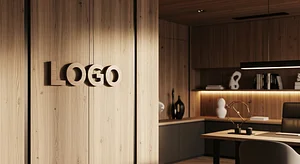
Rustic Elegance
A sophisticated rustic wood-inspired background with elegant tones and a realistic 3D logo placement for professional video calls.

Elegant Realty Office
A sophisticated and clean real estate office backdrop featuring elegant materials and a 3D copper patina logo on the left wall.
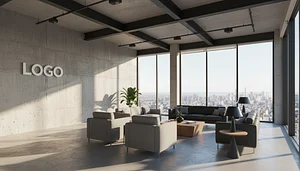
Excited Concrete View
Modern high-rise office lounge with exposed concrete walls, floor-to-ceiling windows, city skyline views, soft daylight, and a clean wall-mounted logo for a calm, premium professional setting.
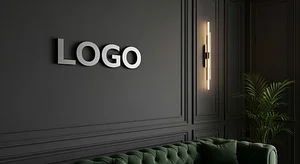
Luxury Lounge
Premium lounge setting for high-end brands and executive meetings
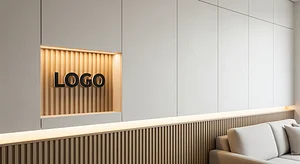
Creative Studio
Modern creative workspace with artistic flair for innovative companies
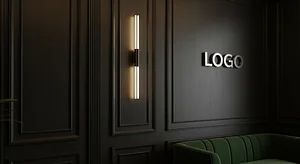
Dark Executive Lounge
An elegant, high-end office lounge with dark paneled walls and refined architectural detailing.
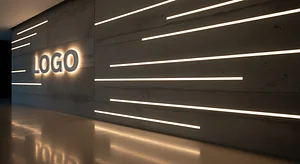
Minimal Concrete Wall
A contemporary interior with a raw concrete feature wall.
.png)
Creative Industrial Startup Loft
An open loft office with exposed brick walls, black steel beams, and large warehouse windows letting in natural light.
How It Works
Get your professional Slack backgrounds in just 3 simple steps
Choose Your Package
Select the number of backgrounds you need and choose from our professional templates.
Upload Your Logo
Provide your company logo and any specific requirements for your Slack backgrounds.
Get Your Backgrounds
Receive your custom Slack backgrounds via email, ready to use in your next meeting.
Popular Slack Background Styles
Choose from our collection of professional slack virtual office backgrounds
Modern Office
Clean, contemporary slack office backgrounds with sleek furniture and professional lighting
Bookshelf Backgrounds
Classic slack background bookshelves that project knowledge and professionalism
Home Office
Comfortable home office background for Slack with a cozy yet professional feel
Virtual Office
Premium slack virtual office backgrounds with your logo integrated seamlessly
All our office backgrounds for slack come with your company logo professionally integrated. Learn more about virtual office backgrounds.
Browse All Office BackgroundsHow to Use Virtual Backgrounds in Slack
Setting up your slack virtual office background is quick and easy
- 1 Open your Slack settings
- 2 Navigate to video or background settings
- 3 Upload your custom virtual background
- 4 Apply and enjoy your professional background
Need more detailed instructions? Read our complete guide to virtual office backgrounds.
Related Resources
Explore more professional background options
Zoom Backgrounds
Custom virtual backgrounds for Zoom
Learn moreTeams Backgrounds
Professional Microsoft Teams backgrounds
Learn moreProfessional Backgrounds
Professional video call backgrounds
Learn moreInterview Backgrounds
Backgrounds for job interviews
Learn moreFree Zoom Backgrounds
Download free Zoom backgrounds
Learn moreComplete Guide to Virtual Office Backgrounds
Everything you need to know about virtual backgrounds
Learn moreReady to Stand Out in Your Slack Meetings?
Join thousands of professionals who trust Brand Wall Pro for their video call backgrounds. Get started today and make a lasting impression.